Catholic Information
Features

The day's readings, one tap away

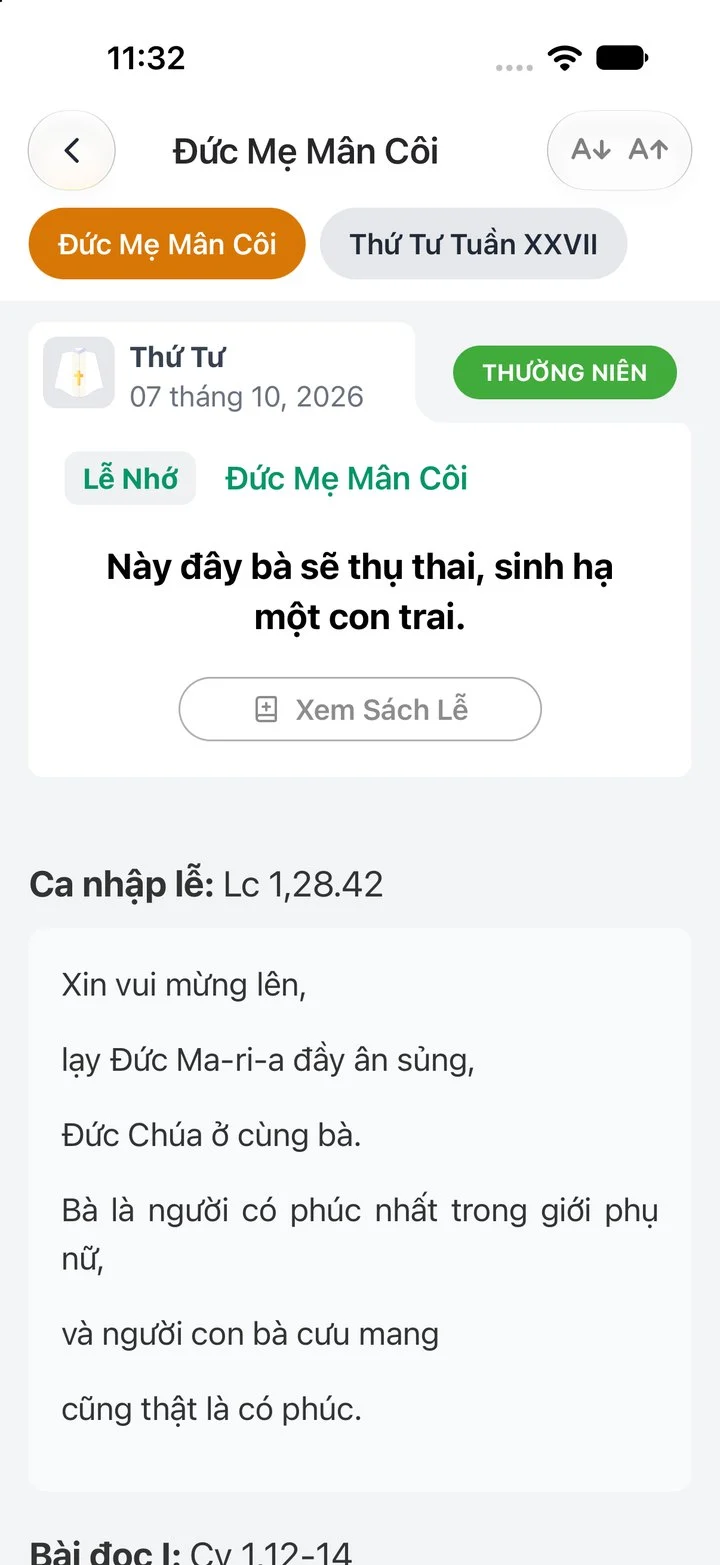
Pick a day in the calendar and tap View Reading. The readings of the Mass appear in order, in text you can make larger.

The readings screen in the app on the memorial of Our Lady of the Rosary, with the text size buttons

The screens on this page show the app in Vietnamese. It follows your phone's language, and you can switch it to English in Settings › Language.

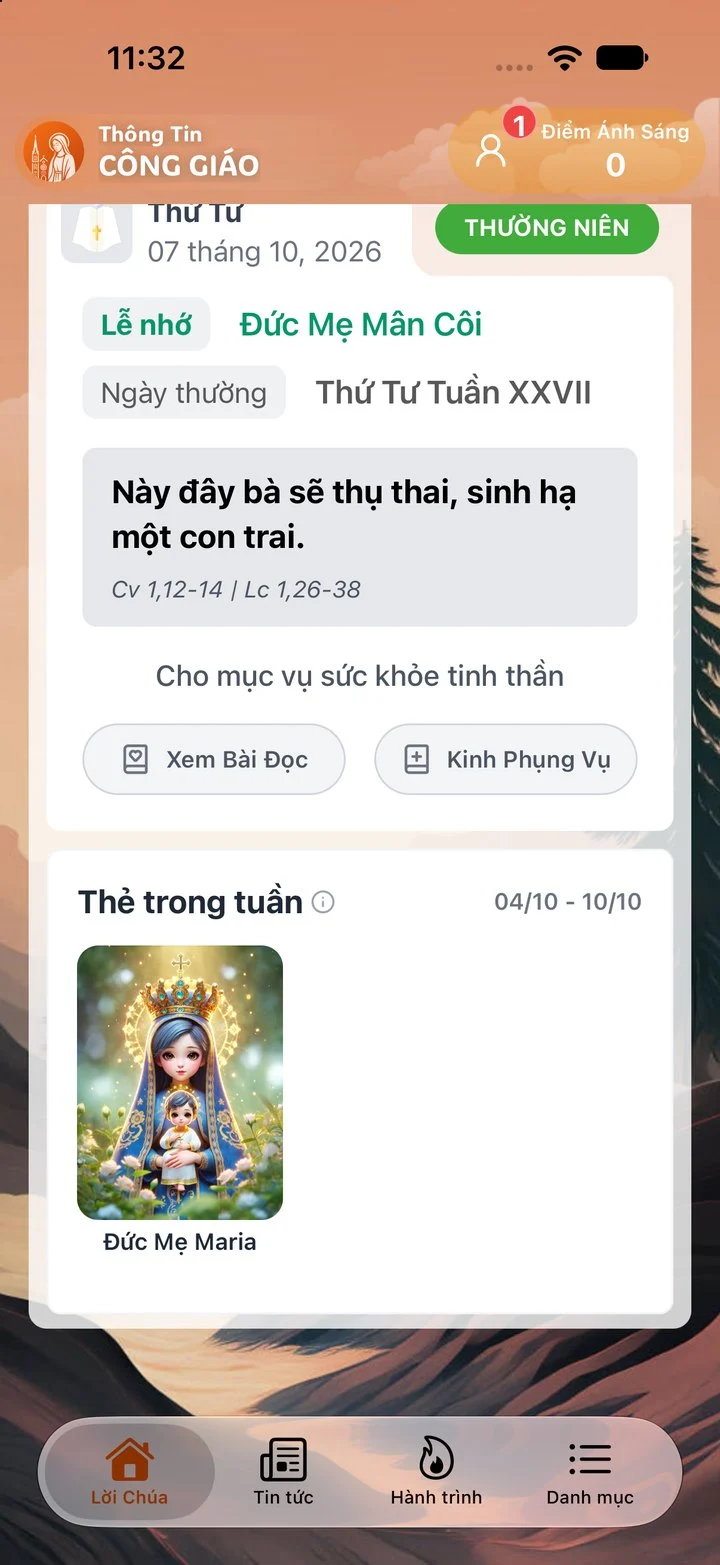
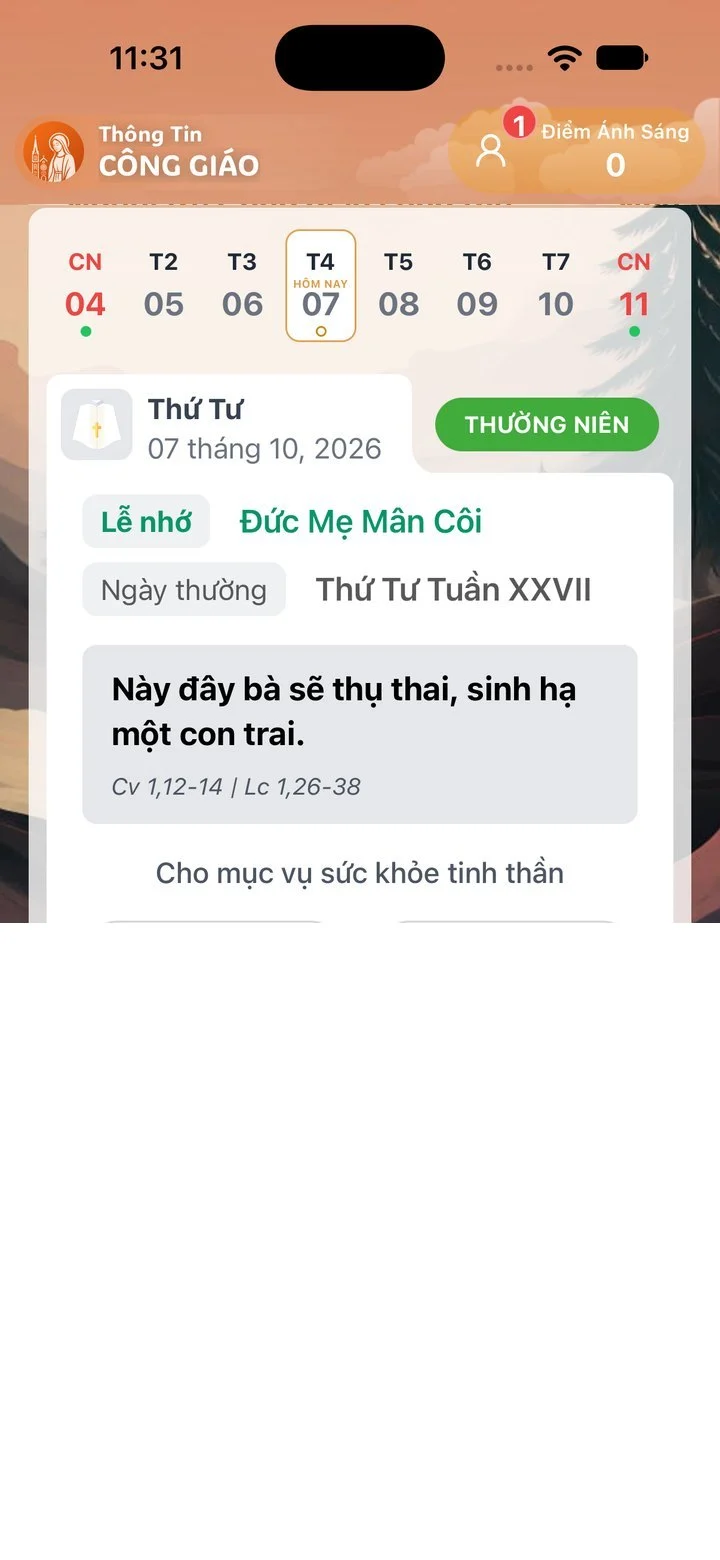
The week calendar card on the home screen with the season, the day's memorial and the View Reading button

What you get

  • All the readings of the Mass

    Entrance antiphon, first reading, psalm, second reading, Gospel acclamation and Gospel. On a day with several celebrations, tabs at the top switch between them.

  • Easy to read for everyone

    Make the text larger or smaller right on the reading screen, and the screen stays on while you read.

  • A reminder each morning, offline for the week

    Choose a time between 6 and 9:45 in the morning for the Daily Word of God notification. Today's readings and the next six days are saved to read offline.

Get started in minutes

  1. Download the app

    Install it free from the App Store or Google Play.

  2. Tap View Reading

    On the home screen, pick a day in the week calendar and tap View Reading.

  3. Turn on the reminder

    In Settings, open Daily Word of God and choose the time you want the notification.

The Mass readings in your pocket

Many people would like to read the Word of God every day but do not know which readings belong to today, or have no missal at hand. Daily Mass readings does exactly that: open the app, tap today in the calendar, and the readings of the Mass appear in order.

About the English text

The readings in the app are prepared from the Vietnamese lectionary, the translation by the translators of the Liturgy of the Hours in Vietnam that is read at Mass there. When the app is in English, the readings appear in an automatic translation for personal reference. It is not an approved English lectionary. For the approved text of the day in the United States, read the USCCB daily readings; elsewhere, follow your own bishops’ conference.

Read by the liturgical day

Some days the Church keeps the memorial of a saint on a weekday. The app then shows a tab for each celebration at the top of the screen, so you can choose the readings of the memorial or of the weekday. When a celebration has no proper readings, the app says so and you read those of the day.

A small habit every morning

Turn on Daily Word of God in Settings and choose a time between 6:00 and 9:45 in the morning. Each morning your phone reminds you, and a tap on the notification opens the readings.

Follow the liturgical calendar

The readings belong to the Church’s liturgical calendar. On the home screen, the week calendar shows the season, the rank and the colour of each day. See the liturgical calendar page for more.
Frequently asked questions

Which English translation does the app use?

The app's readings come from the Vietnamese lectionary. In English they are an automatic translation, for personal reading only, not an approved lectionary. For the text read at Mass in your country, use your bishops' conference, such as the USCCB daily readings in the United States.

Do I need to sign in to read?

No. Anyone can read the day's readings right after installing the app.

Can I read without an internet connection?

Yes, for today and the next six days. The app saves them while you are online; days further ahead need a connection.

Is there an audio version?

Not at the moment. The app shows the text, and you can make it larger.

Can I read in another language?

The app comes in six languages, English, Vietnamese, Spanish, Portuguese, French and Italian. Change it in Settings › Language. The Vietnamese readings follow the translation used at Mass in Vietnam.

Get the app

Start praying with the Church today

Free on the App Store and Google Play. No ads, no subscription. Published by the Archdiocese of Ho Chi Minh City.